


My Store
VA-COM HEX Full Chip OBD Tool— VCDS–like tool
VA-COM HEX Full Chip OBD Tool— VCDS–like tool
Couldn't load pickup availability
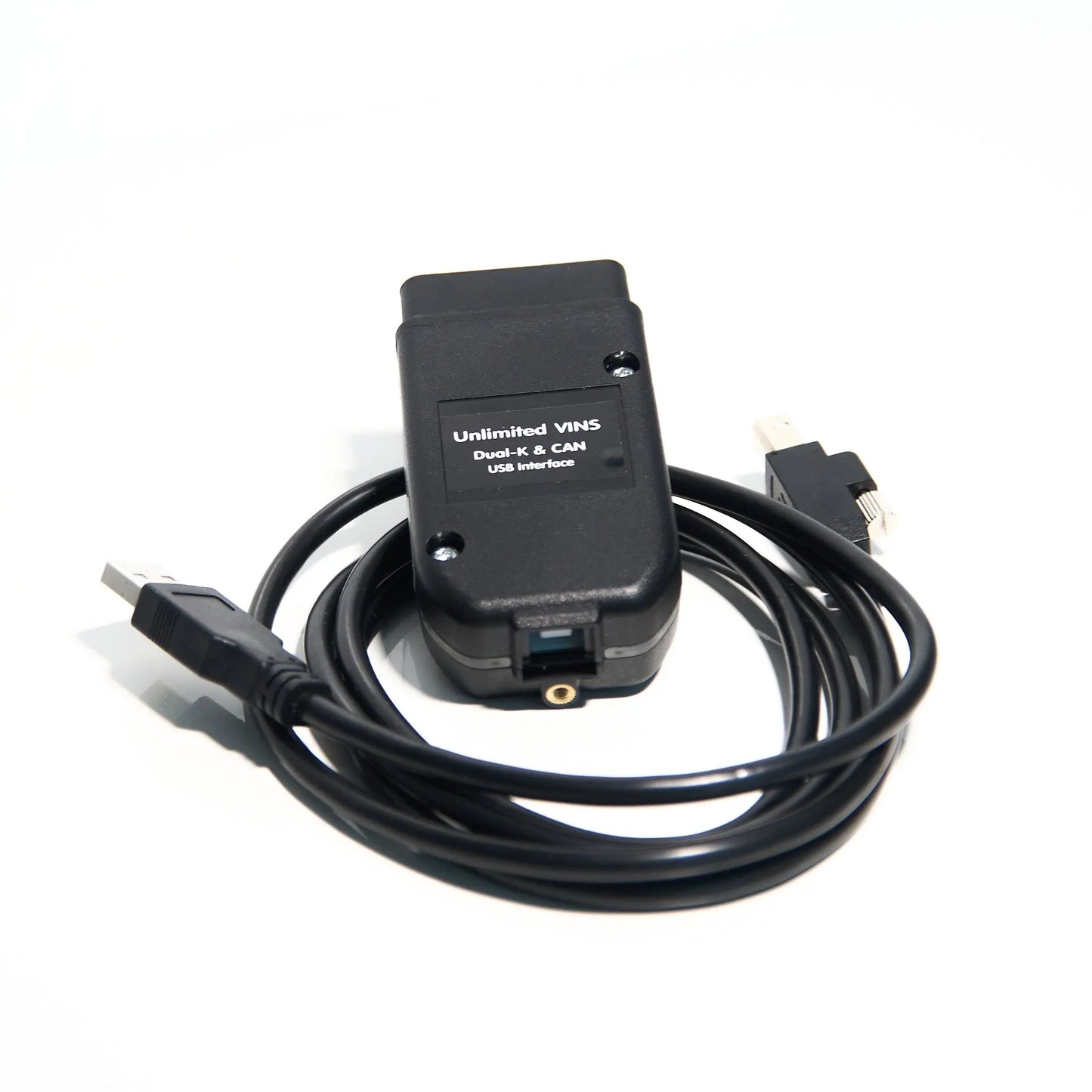
The VA‑COM HEX is a professional‑grade OBD2 USB interface designed to give you total control over your VAG‑group vehicle when used with compatible software such as VCDS 25.3. Powered by the high‑performance STM32F429 microcontroller, it offers a fast, stable connection to your car’s Electronic Control Units (ECUs). Whether you are a professional mechanic or a dedicated DIY enthusiast, this interface allows you to perform dealer‑level diagnostics, advanced “Long Coding,” and complex adaptations that standard OBD2 scanners simply cannot reach (software‑dependent).
Unlimited VIN Usage (Interface Side)
Unlike some official enthusiast interfaces that limit you to 3 or 10 cars, the VA‑COM HEX hardware is designed for unlimited vehicle usage. Diagnose your entire fleet, help friends, or use it in a workshop setting without hitting a hardware “VIN limit”.
🛠 Functional Overview (Software‑Dependent)
Below is an overview of what you can typically do when using the VA‑COM HEX together with VCDS 25.3 or similar VAG‑COM‑style diagnostic software. Availability of individual functions depends on vehicle model, year, control unit, and software license.
1. Core Diagnostic Functions
-
Auto‑Scan (All Systems)
Automatically interrogates every control module in the car (Engine, ABS, Airbags, Central Electrics, etc.) and generates a comprehensive health report. -
Fault Code (DTC) Management
Read and clear thousands of manufacturer‑specific fault codes with plain‑text explanations. -
Freeze Frame Data
View a “snapshot” of engine parameters (RPM, coolant temp, load, speed, etc.) at the moment a fault occurred. -
Control Module Identification
Retrieve VAG part number, component version, and current coding string for any ECU. -
Optical Parking System (OPS)
Diagnose and calibrate parking sensor displays on the infotainment screen (where supported).
2. Service & Maintenance (“Money Saver” Functions)
-
SRI Reset (Service Reminder)
One‑click reset for Oil Service, Inspection, and time‑based maintenance reminders. -
Electronic Parking Brake (EPB) Service
Open/close rear electronic calipers to allow DIY brake pad replacement. -
Battery Registration (BEM)
Program the new battery serial number and capacity into the Gateway for correct charging strategy. -
DPF Service Regeneration
Trigger static or dynamic Diesel Particulate Filter regeneration to clear soot buildup (engine‑dependent). -
ABS Brake Bleeding
Cycle the ABS pump and valves to remove trapped air from brake lines. -
Fuel Pump Activation
Prime the fuel system after a filter change or pump replacement. -
Transmission Adaptation Reset
Reset “learned” shift patterns on DSG/Tiptronic gearboxes to help fix harsh or inconsistent shifting.
3. Advanced Coding & Customization (“Vibe Coding”)
-
Long Coding Helper
User‑friendly bit/byte interface (check‑boxes instead of raw Hex) to activate/deactivate features. -
Needle Sweep (Gauge Staging)
Enable the gauges to sweep to max and back on ignition‑on (cluster‑dependent). -
Start/Stop Customization
Adjust or disable automatic Start/Stop behavior (where legally and technically permitted). -
Comfort Windows & Sunroof
Code opening/closing via the key fob remote. -
DRL Customization
Configure Daytime Running Lights behavior (on/off, dim with indicators, etc., where supported). -
Cornering & Puddle Lights
Enable fogs as cornering lights, activate new door/mirror puddle lights after retrofit. -
Mirror Folding
Enable automatic mirror folding on lock/unlock (hardware‑dependent).
4. Real‑Time Data & Performance Analysis
-
Advanced Measuring Values
Monitor multiple real‑time sensors simultaneously in one window. -
VAG‑Scope‑Style Graphing
Visualize boost, fuel trims, ignition timing, and more with high‑speed graphs. -
High‑Speed Logging (“Turbo Mode”)
Faster sampling on modern CAN‑bus vehicles for precise diagnostics and tuning support. -
Data Logging (.CSV Export)
Save data for analysis in Excel or tuning/remote diagnostic tools. -
Acceleration Measurement
Measure 0–100 km/h, 1/4 mile, and other acceleration metrics (vehicle‑dependent).
5. Component Calibration & Testing
-
Throttle Body Alignment (TBA)
Calibrate the electronic throttle body after cleaning or replacement. -
Steering Angle Sensor (SAS) Calibration
Reset the “zero” point of the steering after alignment or suspension work. -
Headlight Alignment Mode
Put Xenon/LED headlights into learning mode for physical adjustment. -
Output Tests
Manually trigger fans, pumps, injectors, cluster lights, wipers, etc., to verify operation. -
Basic Settings & Adaptations
Perform factory‑style basic settings on HVAC flap motors, sunroof, air suspension, and more.
💻 Technical Specifications
- Microcontroller: STM32F429 (High‑Performance ARM Cortex‑M4)
- Connection Type: USB 2.0 / 3.0 (wired for maximum stability and low latency)
- Vehicle Compatibility: Approx. 1996–2025 VAG‑group vehicles using K‑Line, L‑Line, dual‑CAN, and UDS/ODX protocols (functionality always model/year‑dependent)
- Operating System: Windows XP, 7, 8, 10, 11 (32‑bit & 64‑bit)
- Language Support (Software‑Dependent): English, German, French, Italian, Dutch, Spanish, Portuguese, and others (depending on the VCDS installation)
📦 What’s in the Box?
- VA‑COM HEX Interface – Professional‑grade OBD2‑to‑USB diagnostic cable
- Software Support / Access Information – Instructions for using the interface with VCDS 25.3 or compatible VAG‑COM‑style software
- Installation Suite – Step‑by‑step PDF guides and video tutorials for Windows
- Support Option – Remote installation assistance via TeamViewer/AnyDesk if needed
❓ Frequently Asked Questions
Is this a “Lite” version of the interface?
No. The VA‑COM HEX is a full‑function aftermarket interface capable of advanced coding and adaptations when used with appropriate VCDS‑type software.
Does it work on the latest 2024/2025 models?
The hardware supports the latest UDS/ODX CAN protocols used in many modern Audi/VW/SEAT/Škoda vehicles. Actual coverage always depends on the software version and license you use.
Can I use it on multiple cars?
Yes. The interface hardware itself is not VIN‑limited. You can plug into as many supported VAG vehicles as you like. Any VIN limits (if applicable) come from your chosen software license, not from the cable.
Legal / Trademark Notice
“VCDS”, “VAG‑COM”, and related names are trademarks of Ross‑Tech, LLC. “Audi”, “Volkswagen”, “SEAT”, and “Škoda” are trademarks of their respective manufacturers.
They are mentioned here only to describe software and vehicle compatibility with this aftermarket diagnostic interface. This product is not manufactured, endorsed, or authorized by Ross‑Tech or any vehicle manufacturer.
Share


Perfekt!
Hab noch nicht alle Funktionen probiert, sieht aber aus als würde alles gehen.
Bei der Installation wird eine cloud geladen, ich konnte die Software nicht direkt davon runter laden sondern musste einen Akkount erstellen, die Software Zwischenspeichern und konnte sie erst danach auf den PC laden. Hat aber alles super und besser als bei allen anderen bis jetzt gekauften Diagnosetools funktioniert.
Follow the instructions and it works how it should! Thank you.
Kabel działa, szybka dostawa. Polecam
it came fast, shipped in time they promise! Everything works perfectly, easy to install and use, read instructions carefully ( there was video how to install too) and everything gonna be fine. Package was packed good. For this price cant say nothing bad, thanks to seller.
